What is MKB Portal Registration 2026?
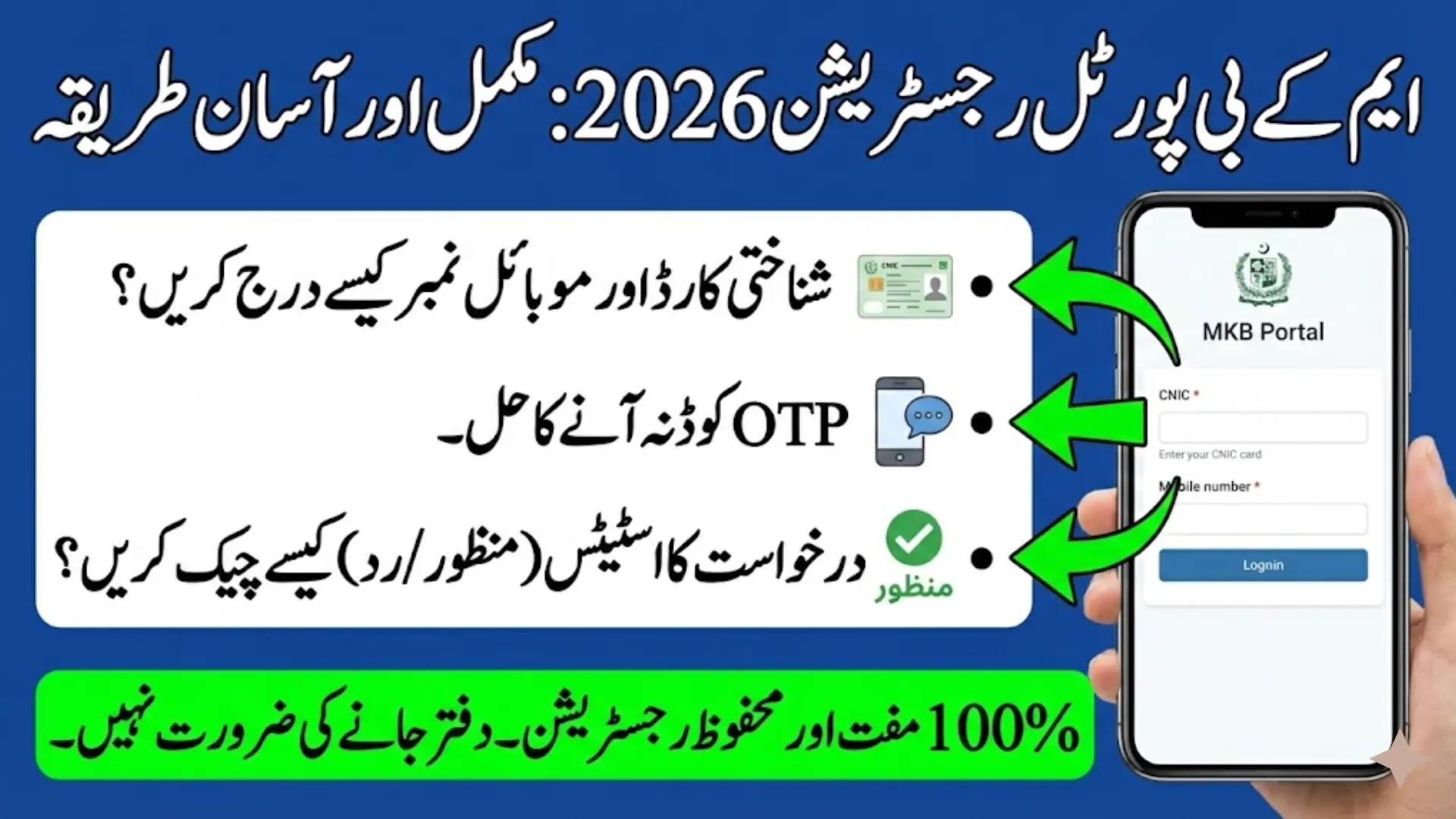
MKB Portal Registration 2026 is the official online process introduced by the Government of Punjab to allow citizens to apply for financial assistance under the Maryam Nawaz 10000 Scheme 2026. The portal is designed to make registration simple, secure, and accessible for people across Punjab. Through this system, applicants can enter their details, verify their identity, and track their application status without visiting any office.
The portal operates under the supervision of the Punjab Government and is technically managed by Punjab Information Technology Board to ensure transparency and data security. It connects with official government databases to verify eligibility before approving applications.
Key features of MKB Portal Registration 2026:
- Online application through official website
- Secure CNIC-based verification
- OTP mobile confirmation system
- Digital status tracking
- Free registration process
The portal aims to reduce paperwork and provide fast processing for deserving families during Ramadan 2026.
How to Enter CNIC & Mobile Number
The first step in MKB Portal Registration 2026 is entering your CNIC and mobile number correctly. Applicants must use their own valid 13-digit CNIC issued by National Database and Registration Authority. The CNIC should be typed without dashes to avoid system errors.
Your mobile number must be active and registered under your CNIC. This is important because the system sends an OTP code to verify your identity. If the SIM is not registered in your name, the verification may fail and delay your application.
Steps to enter CNIC and mobile number:
- Visit www.mkb.punjab.gov.pk
- Click on Register or Apply
- Enter 13-digit CNIC (without dashes)
- Enter your active mobile number
- Click continue
Providing accurate details at this stage ensures smooth registration.

OTP Verification Explained
OTP verification is an important security step in MKB Portal Registration 2026. After entering your CNIC and mobile number, the system automatically sends a One-Time Password (OTP) to your registered mobile number. This code confirms that the applicant is the rightful owner of the number and identity.
The OTP is usually a short numeric code valid for a limited time. You must enter the code exactly as received. If the code expires, you can request a new one through the portal.
OTP verification process:
- Receive OTP via SMS
- Enter the code in the portal
- Click verify
- Wait for confirmation message
Important safety tips:
- Never share OTP with anyone
- Do not forward OTP messages
- Avoid unofficial calls asking for codes
OTP verification protects applicants from fraud and unauthorized registrations.
Filling Household & Income Details
After successful OTP verification, the next step in MKB Portal Registration 2026 is completing household and income information. This section helps the government determine whether the applicant meets the eligibility criteria for financial assistance.
You will be required to provide details about family members, monthly household income, employment status, and residential address. All information must be accurate because the system cross-checks data with official socio-economic records.
Information required in this section:
- Full name and address
- Number of family members
- Total monthly household income
- Employment details
- Existing government support (if any)
Eligibility generally considers:
- Low-income households
- Non-government employees
- Families facing financial hardship
Incorrect or false information may result in rejection after verification.
Submission & Confirmation Process
Once all required fields are completed, applicants must carefully review their information before submitting the form. After submission, the portal generates a confirmation message indicating that the application has been received.
The system then forwards the application for automated verification. Applicants may receive an SMS confirming successful submission. It is important to keep your mobile number active to receive future updates.
Final submission steps:
- Review entered information
- Click Submit Application
- Receive confirmation message
- Wait for verification result
Applicants should regularly check the portal to track progress.
Application Status Categories (Pending, Verified, Approved, Rejected)
After submission, applicants can log in to check their application status. MKB Portal Registration 2026 provides clear status categories to avoid confusion. Each status reflects a different stage of the review process.
The most common status categories include Pending, Verified, Approved, and Rejected. Understanding these categories helps applicants know what to expect next.
Status explanations:
- Pending – Application received and waiting for review
- Verified – Information successfully confirmed
- Approved – Eligible for Rs 10,000 assistance
- Rejected – Not eligible based on criteria
If rejected, applicants should ensure their data was accurate and check official announcements for reapplication options.
Helpline Assistance
For applicants facing technical issues or confusion during MKB Portal Registration 2026, the government provides official helpline support. The helpline allows citizens to ask about registration, verification, or status updates without relying on unofficial sources.
Applicants can call 1000 to speak with a support representative. Before calling, keep your CNIC number ready to speed up the process.
Helpline services include:
- Registration guidance
- Status inquiry
- Technical issue support
- Complaint registration
Important reminders:
- Calls are free or charged at standard rates
- Do not share OTP with call agents
- Trust only officially announced helpline numbers
Using the helpline ensures you receive accurate and verified information directly from official sources.
FAQs
What is MKB Portal Registration 2026?
It is the official online registration system for applying to the Maryam Nawaz 10000 financial assistance program in Punjab.
How do I verify my mobile number?
You will receive an OTP via SMS, which must be entered on the portal to confirm your identity.
What documents are required for registration?
You need a valid 13-digit CNIC and an active mobile number registered in your name.


How can I check my application status?
Log in to the official portal and enter your CNIC to view the latest status update.
Is there any registration fee?
No, MKB Portal Registration 2026 is completely free through the official government website.